Connectors
Amazon S3 Connector
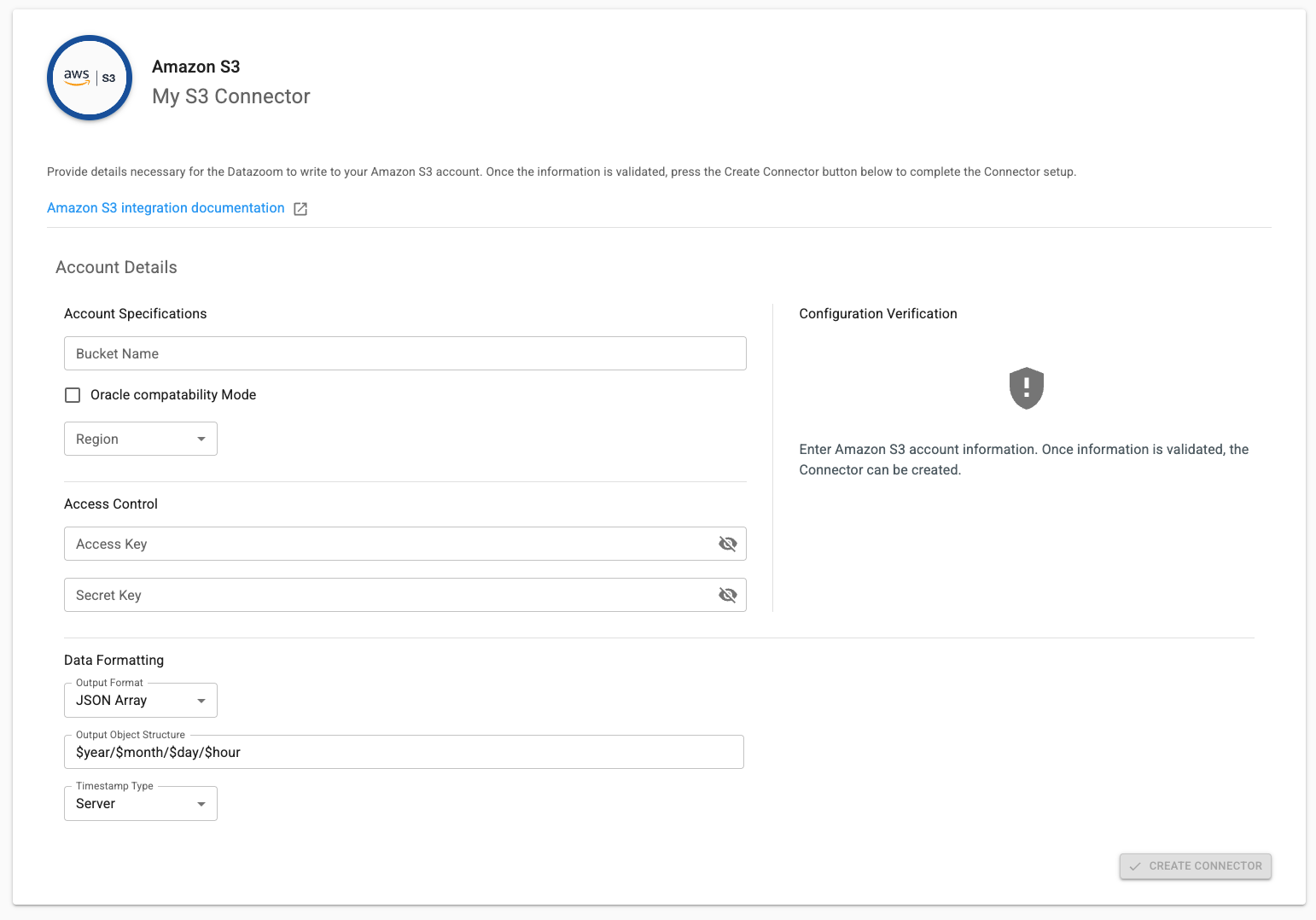
Our Amazon S3 Connector sends Collector data to your configured S3 bucket. In order to take advantage of this Connector you will need the following information:
IMPORTANT:
When generating the Access Key and Secret Key for the user/role that will be granted access to your S3 Bucket, it’s mandatory that the user/role has the s3:PutObject permission. You may optionally add the s3:DeleteObject permission.
During configuration our Connector setup writes a temporary file to confirm S3 access then deletes it (if it has that permission). You will see a message that setup was successful. If setup fails, please review the IAM role/user access permissions and ensure they have appropriate access.
Bucket Name - name of the S3 bucket
Select “Oracle Compatibility Mode” if you are using OCI Object Storage
Region - region of your S3 bucket
Access Key - credentials for an IAM role/user with access to the S3 bucket
Secret Key - token that allows our service to access your S3 bucket
Output Format
JSON Array - One JSON document where records live inside a single
[...]array (e.g.,[{...},{...}]).JSON Line - (JSONL/NDJSON) One JSON object per line, newline-delimited, so each line is its own record (e.g.,
{...}\n{...}\n).
Object Output Structure
For example,
your_object_path/$year/$month/$day/$hour/will result in a nested directory structure by year/month/day/hour.
Timestamp Type
Server - The Datazoom platform timestamp (default setting)
Client - The uncorrected timestamp observed on the client
Client Corrected - The client timestamp corrected to align with NTP