
Connectors
Datadog Connector
Our Datadog Connector sends Collector data to your configured Datadog destination, available for query in Log Explorer. Datazoom sends data set at INFO level.
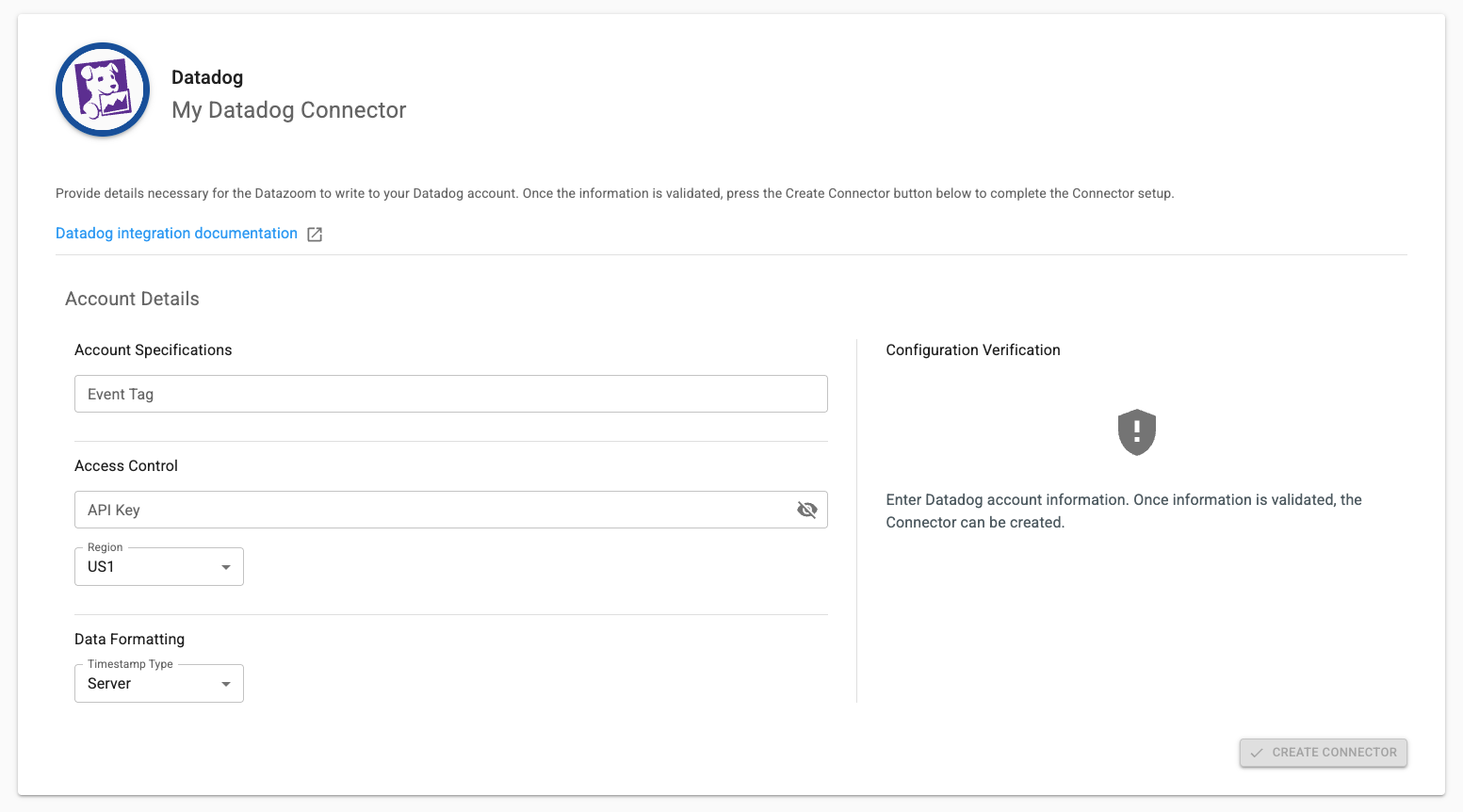
In order to take advantage of this Connector you will need the following information:
Event Tag - Key pair describing the tag you wish to assign. More details on Tags here.
API KEY - You can setup your API Key here.
Region- Select the region where you would like the data sent.
Timestamp Type
Server - The Datazoom platform timestamp (default setting)
Client - The uncorrected timestamp observed on the client
Client Corrected - The client timestamp corrected to align with NTP
Example message information with definitions in the note:
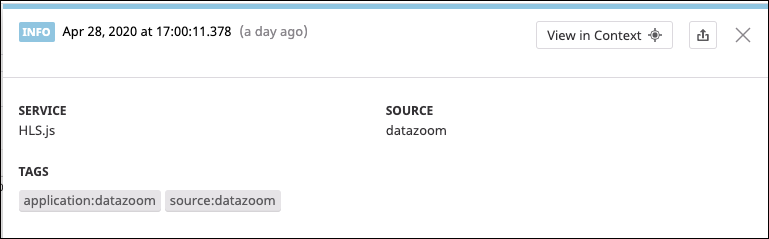
SERVICE is set to the name of the video player used to collect the data.
SOURCE is set to “datazoom” and cannot be changed.
TAGS are set to source:datazoom and your event tag value as defined in the setup above.
Login to your Datadog account then install our dashboard template to get started!